Truck repair jobs near you, priced your way.
Breakdowns near you come to your phone. Offers start from your own rates, you choose the jobs you want, and a Rig dispatcher backs you up on every one.
How it works
From request to paid, in the app.
- 1
Get a request: a breakdown near you, with the town and the problem.
- 2
Send your offer. It starts from your saved prices; change any line.
- 3
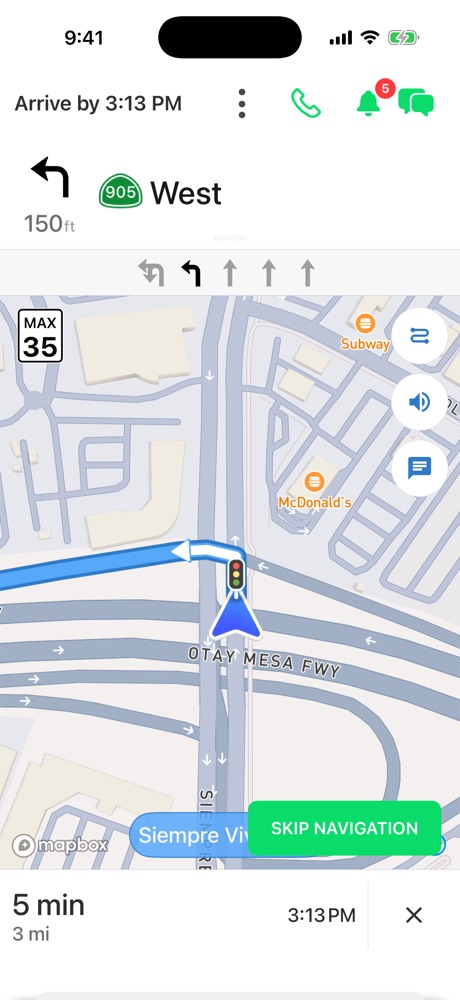
Drive to the truck with turn-by-turn directions and live location.
- 4
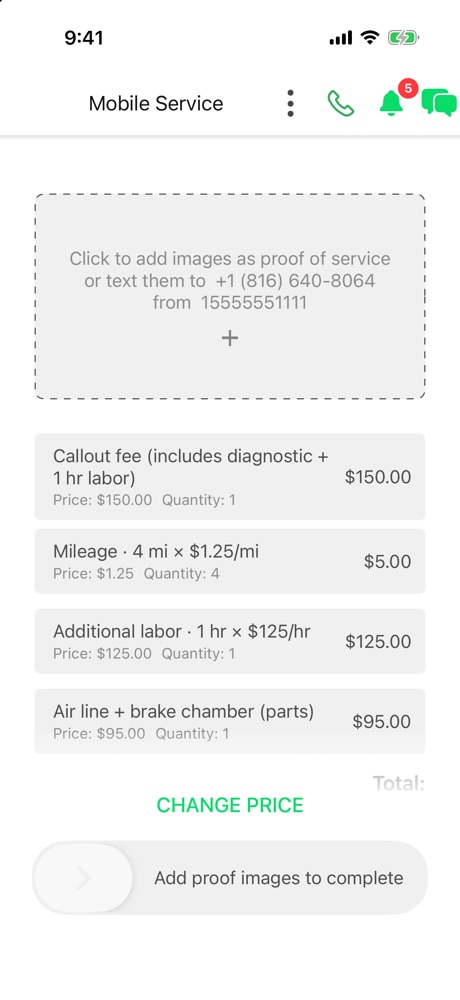
Finish with photos of the work and get paid through the app.
What’s in the app
Your prices. Your jobs. Our dispatch behind you.
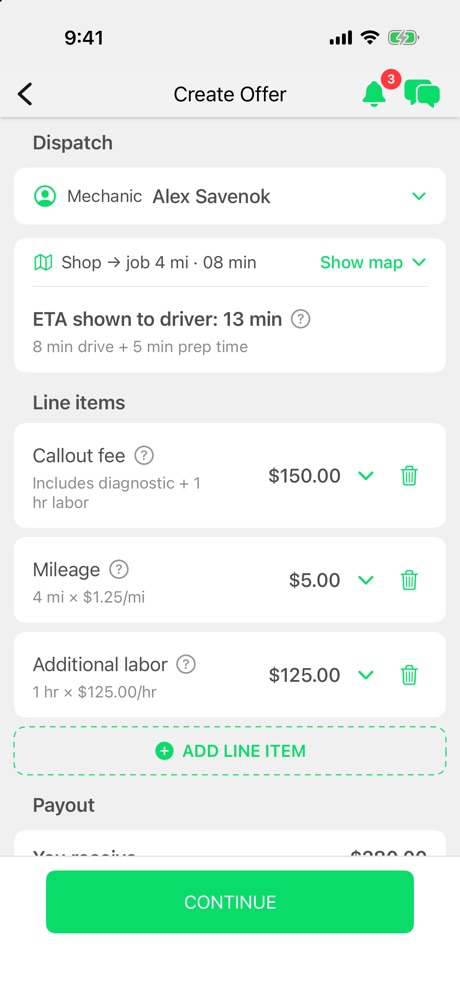
Offers built from your prices
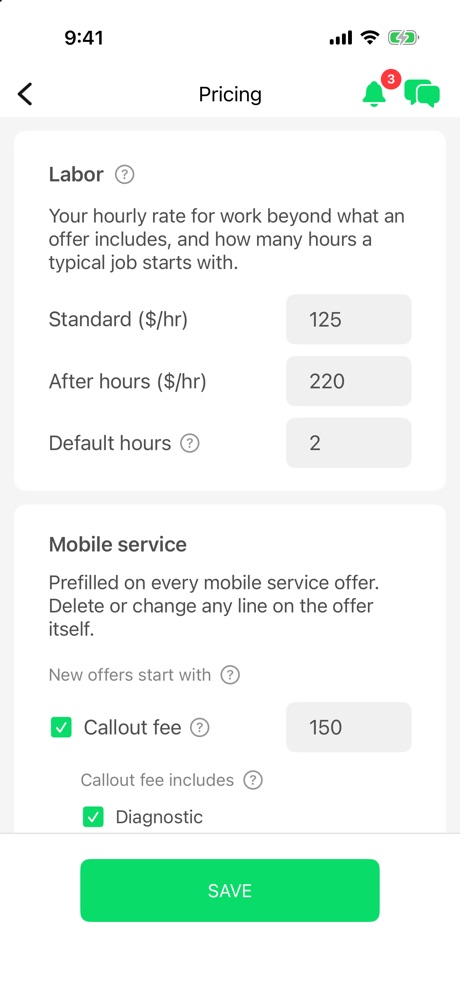
Set your standard and after-hours labor rates, default hours and callout fee once. Every offer starts from them, with mileage and the ETA the driver sees worked out for you, and you can change or delete any line before you send it.
Job requests near you
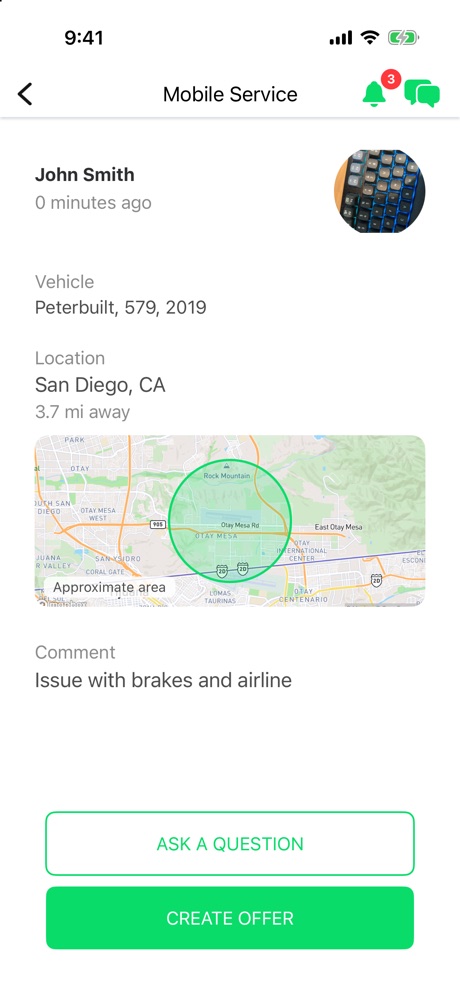
Breakdowns near you arrive as requests showing the truck, the town and the problem. You see the approximate area up front; the exact location is shared once you’re hired.
Change the price mid-job
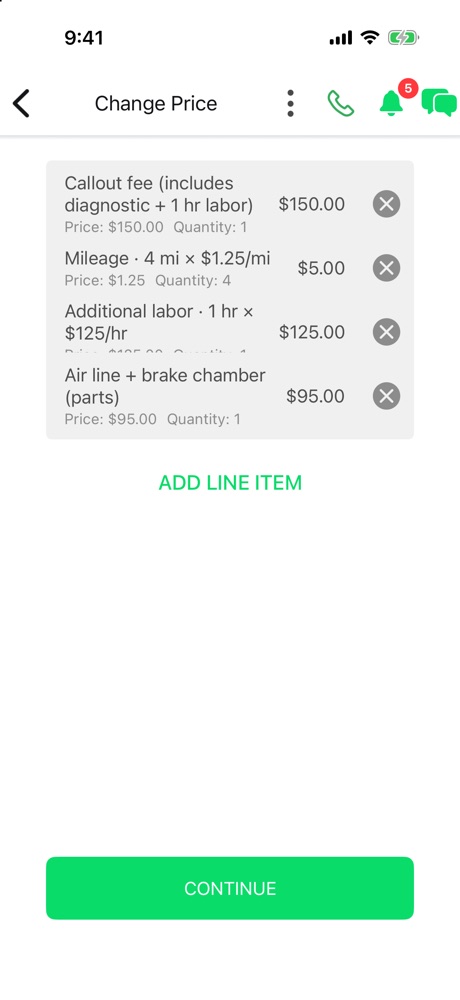
Found more work once you’re there? Send a new price starting from the current offer, and the driver approves it in the app.
Chat with the driver and Rig Dispatch
One thread per job, with photos and voice notes, and a dispatcher who can step in when you need a hand. A live card at the top shows how far away the driver is.
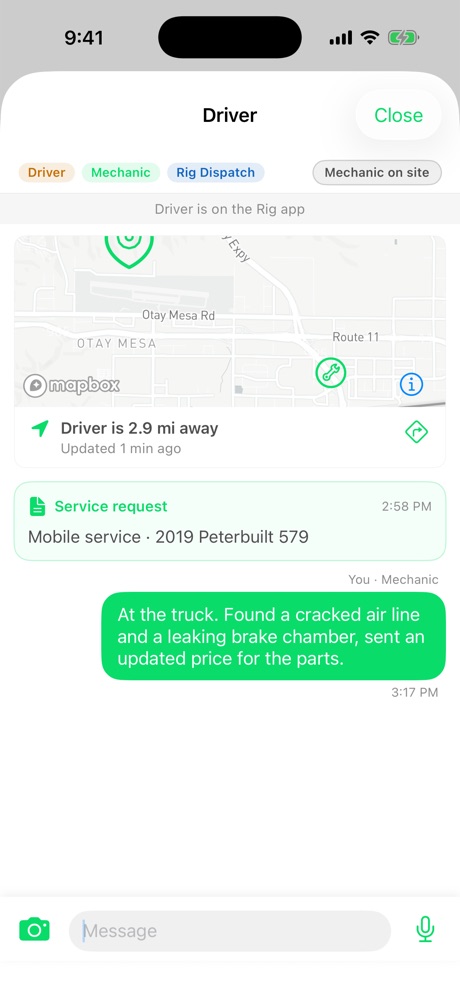
Turn-by-turn to the truck
Directions to the truck inside the app, with lane guidance and live location shared both ways until the job is done.
Finish with proof photos
Add photos of the finished work to close out the job, so there’s no argument about what got done.
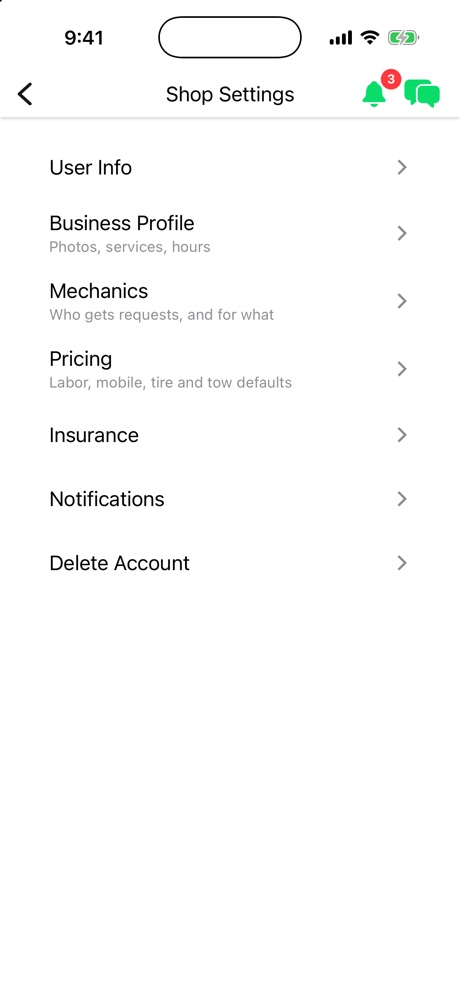
Run your shop
Your business profile (photos, services, hours), your team and who gets which requests, insurance, transaction history and referrals, all in Shop Settings.
Mobile, tire and tow defaults
Keep separate defaults for mobile service, tires and towing, so a tire job never starts from a repair price.
FAQ
Rig Mechanic questions
Where do the requests come from?
Drivers, owner-operators and fleets who request help through Rig: the Rig Driver app, our 24/7 call center, web chat and fleet dispatch.
Does Rig take a cut?
No. The price you quote is the price you get: Rig takes no percentage of your invoice and charges mechanics no subscription or membership fees.
Do I have to take every job?
No. You choose which requests to send offers on, and you set the price on every offer.
How do I get paid?
Through Rig, after the job is completed and documented: 2–3 business days for card jobs and 5–7 for EFS, or instantly for a small fee.
Can my techs use it too?
Yes. Add your team in Shop Settings and choose who gets which requests.
How do I delete my account?
In the app, open the menu, go to Shop Settings and tap Delete Account. Full steps are on our support page.
Get started
Get the Rig Mechanic app.
Download it, sign up with your phone number and tell us the work you do. Once you’re through onboarding, requests near you start coming in.